E-Signatures (beta coming soon!)

Introduction
DocuNinja is a new product within Invoice Ninja that delivers ESIGN, UETA, and eIDAS-compliant eSignatures for your business documents. It supports both documents created inside Invoice Ninja and external files uploaded into the platform.
As a cornerstone of document management, DocuNinja enhances workflow integration, streamlines approval processes, and ensures compliance with international eSignature standards. By embedding signatures directly within your existing document flows, it simplifies day-to-day operations and improves organizational efficiency.
First-Party Integration
Although DocuNinja is a standalone application, it is built and maintained by the same team behind Invoice Ninja. This makes it a first-party integration rather than a third-party add-on.
Keeping DocuNinja as a separate application provides several advantages:
- Compliance and specialization: eSignature services (ESIGN, UETA, eIDAS) have unique legal, security, and infrastructure requirements best served by a dedicated application.
- Scalability and flexibility: DocuNinja can evolve independently while still offering deep integration with Invoice Ninja workflows.
- Broader use cases: DocuNinja can be used both inside and outside of Invoice Ninja, making it possible to manage signatures and documents from other systems or processes as well.
From a user perspective, the experience is seamless. DocuNinja connects directly to your Invoice Ninja account, sharing authentication, permissions, and workflows. Documents can be created, sent for signature, tracked, and stored without leaving the Invoice Ninja interface. To the end user, DocuNinja feels like a natural extension of Invoice Ninja, while benefiting from the flexibility and compliance of a dedicated service.
Workflows
DocuNinja supports three main signing workflows:
1. Invoice Ninja Document Signing
Invoices, quotes, and purchase orders created inside Invoice Ninja can be signed directly through the client portal.
- Seamless integration: once eSignatures are enabled, the DocuNinja interface appears automatically for the client or vendor to sign.
- Audit trail: every signed document includes a verifiable record and a dedicated Document Certificate for compliance.
- Efficiency: approvals and sign-offs can be completed entirely within Invoice Ninja.
2. Custom Templates with Variable Injection
Beyond standard documents, DocuNinja allows you to create and manage custom templates (e.g., NDAs, contracts, HR agreements). A library of templates is provided, which can be customized within the built-in editor.
- Reusable templates: define once, use many times.
- Variable injection: placeholders (e.g.,
{{ signatory.name }},{{ company.address }}) are automatically filled with data from Invoice Ninja. - Consistency: ensures recurring documents follow the same structure and branding while being personalized for each recipient.
3. Uploaded Document Signing
External files (such as PDFs) can be uploaded to Invoice Ninja and sent for eSignature through DocuNinja.
- Flexible signing: supports documents created outside of Invoice Ninja, such as vendor agreements, lease contracts, or legal forms.
- Simple process: upload the document, place signature fields, and send for signing.
- Centralized storage: signed copies are stored securely alongside your other Invoice Ninja documents.
Preview
Documents tab
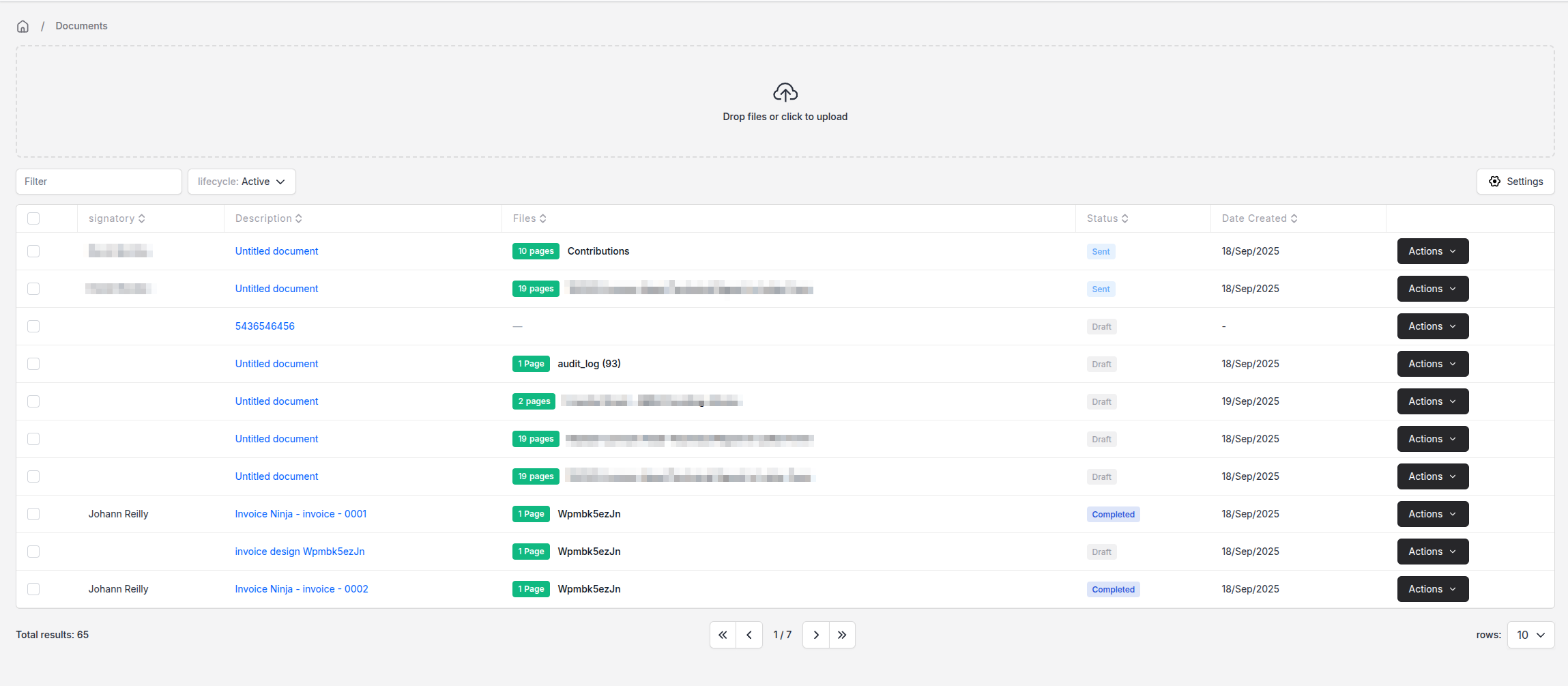
DocuNinja embeds into Invoice Ninja as its own side bar menu, you can manage all aspects of DocuNinja workflow through your Invoice Ninja account.
Timeline
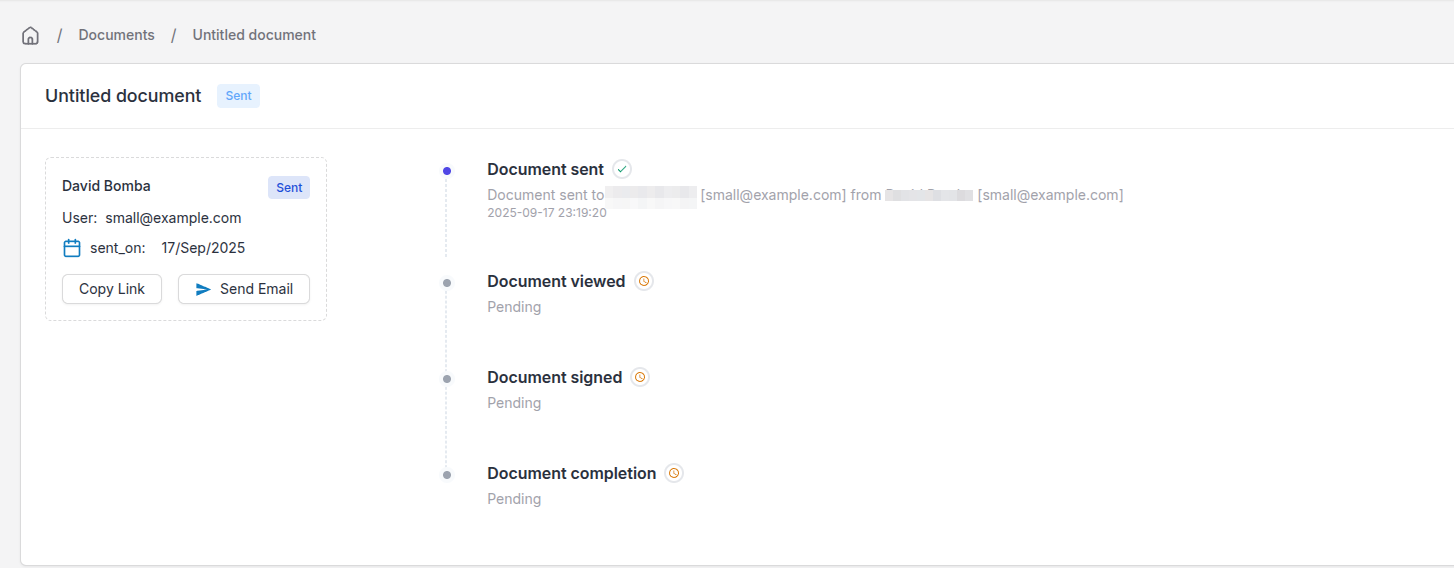
Each Document has a timeline of events so you can visualize the signing workflow.
Builder
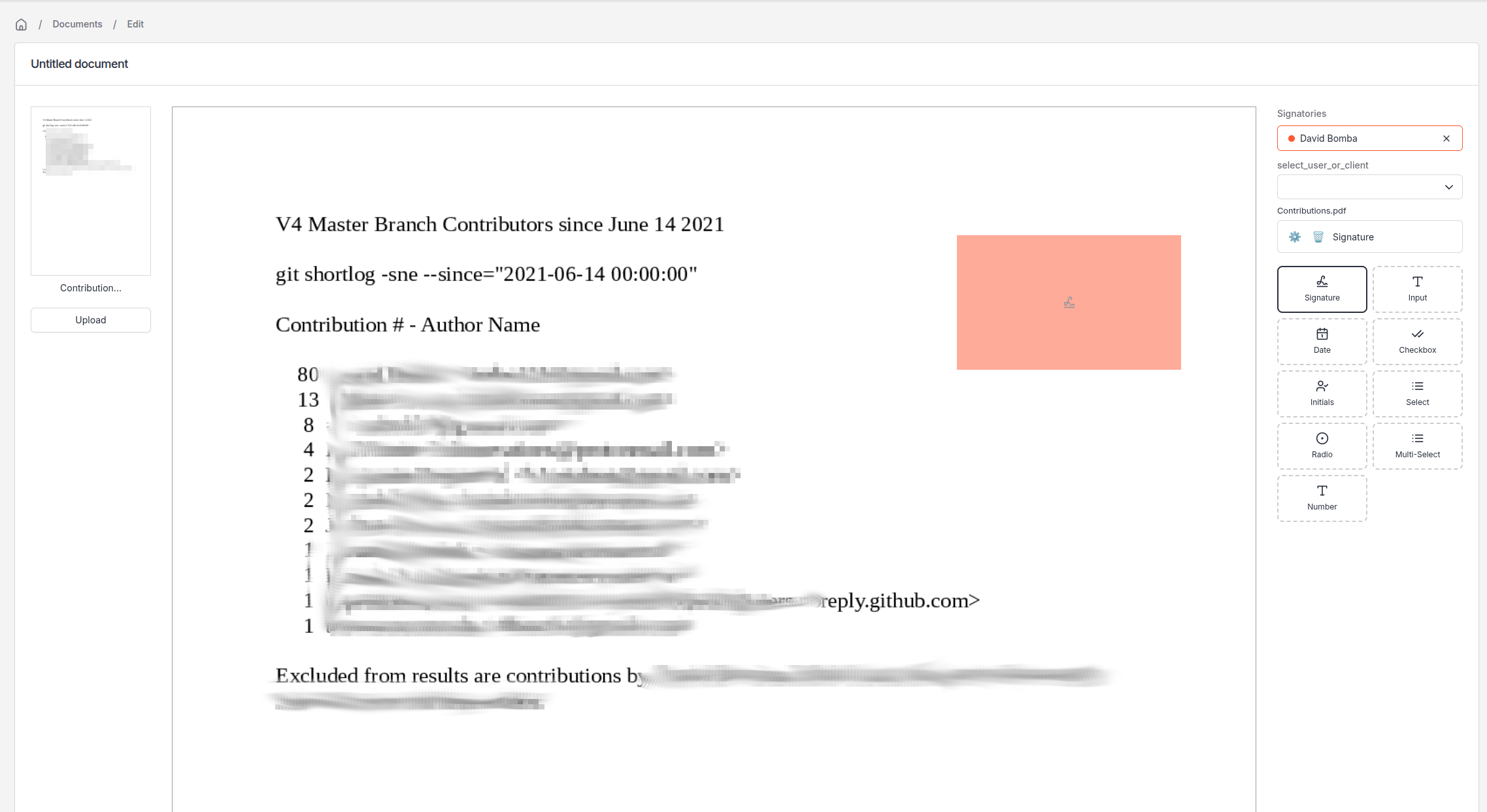
The document builder allows you to create signatories and place signing widgets directly onto the document at your preferred location. Each widget has its own logic embedded within it, so you can mark a widget as required, you can also set additional logic such as requiring a text field to be in the format of an email address.
Authorized Signatories
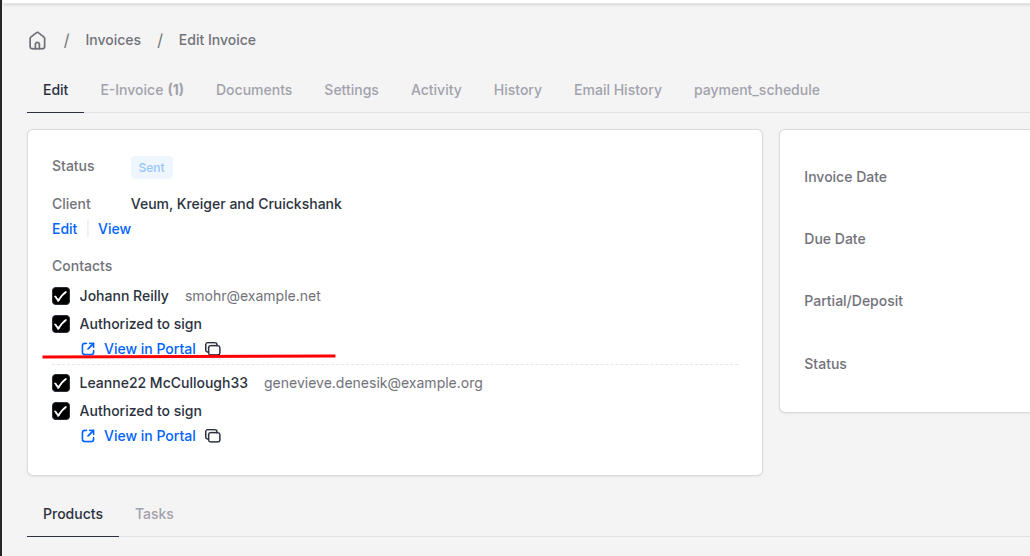
When signing an Invoice, you may prefer to only have certain client/contacts be the signatories, within the Invoice,Quote screen you can assign authorized signatories. The document process will not proceed (ie, payment capture , quote authorization), until the document has been first signed.
Signing Flow
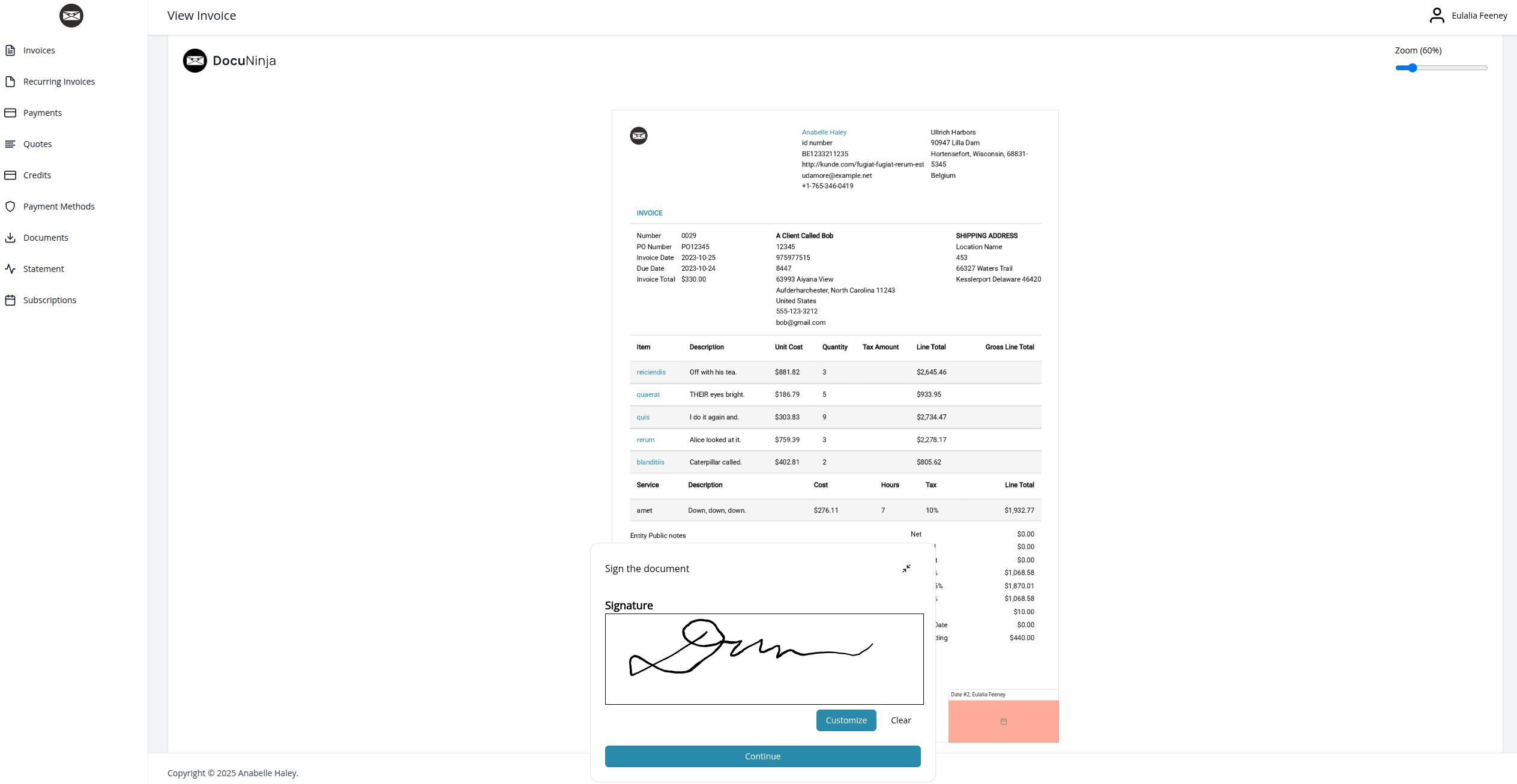
The view of the Signature capture flow as the client/vendor proceeds through the portal.
Blueprint Wizard
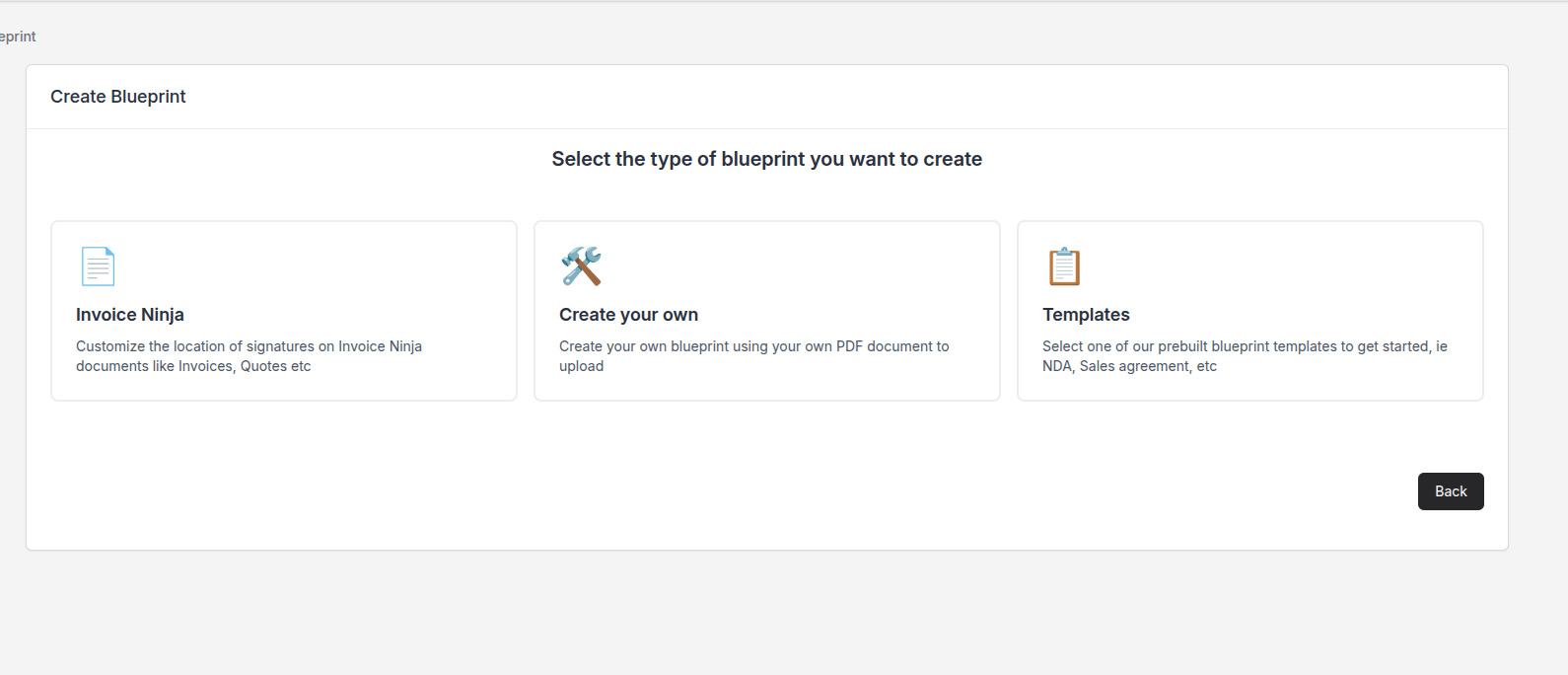
Creation of "Blueprints" allows the creation of three specific types of documents that you will encounter in Invoice Ninja. You can create, update these from the blueprints section.
Prebuilt Templates
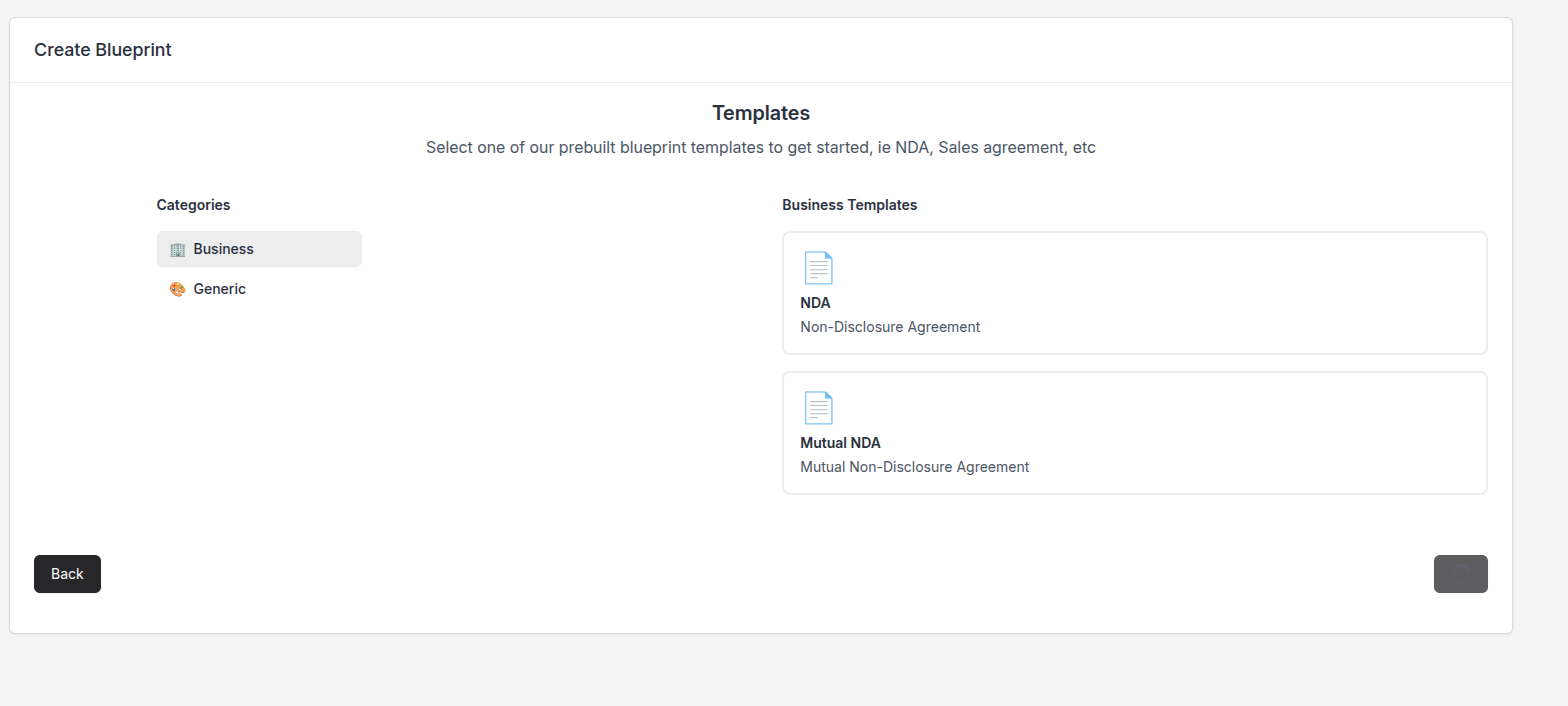
A range of prebuilt Templates are offered allowing you a starting point for your customized documents!
Template Editor
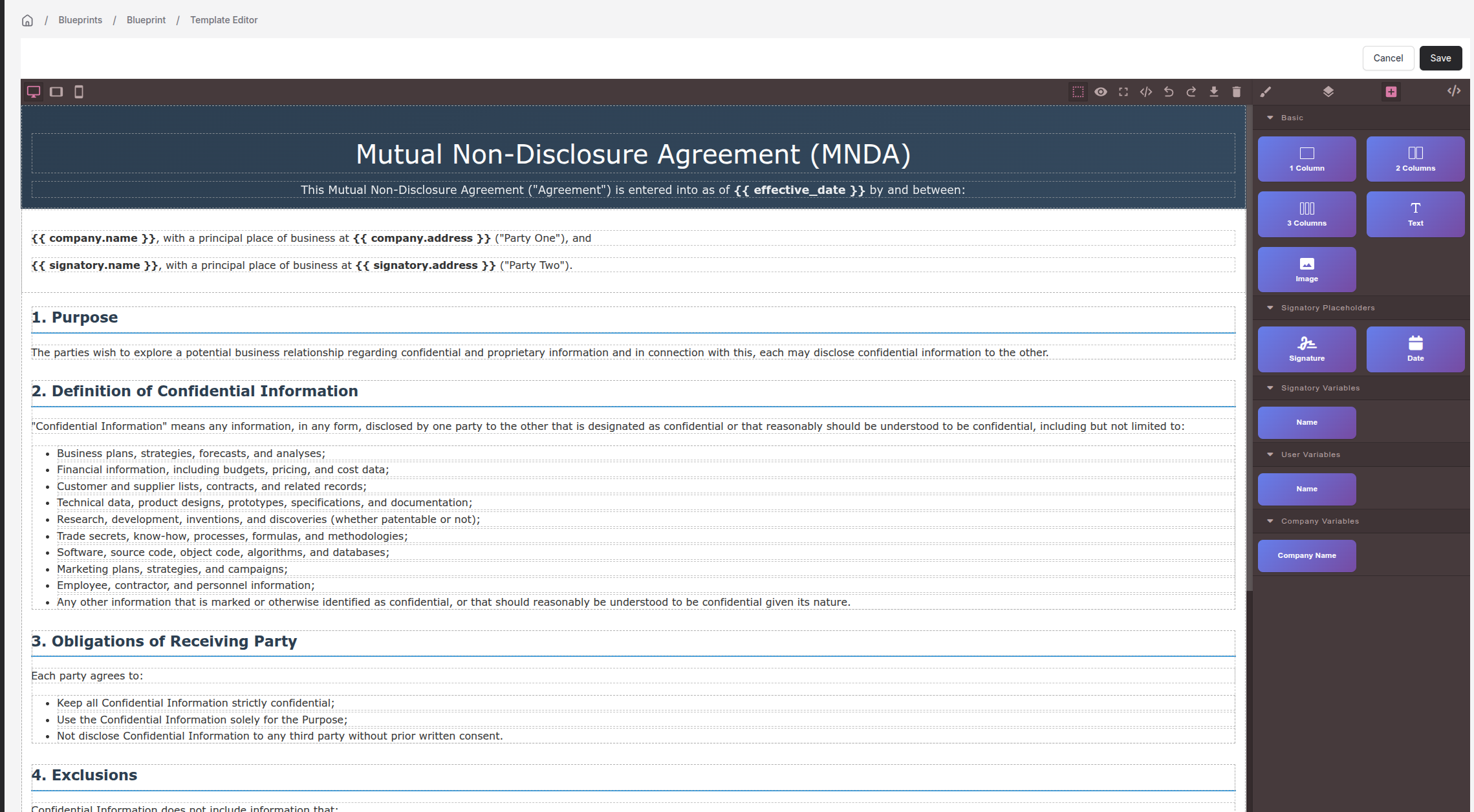
Using the wysiwyg editor, you can create/update your templates, this uses simple drag and drop elements allowing you to customize the template for your needs. You also have the ability to reference placeholder data where you can use data already stored in Invoice Ninja to automatically populate the template.
An example would be a contract of agreement with a new client, the template could be configured to automatically inject the clients details when sending the document to the client.
Mapping Signatories
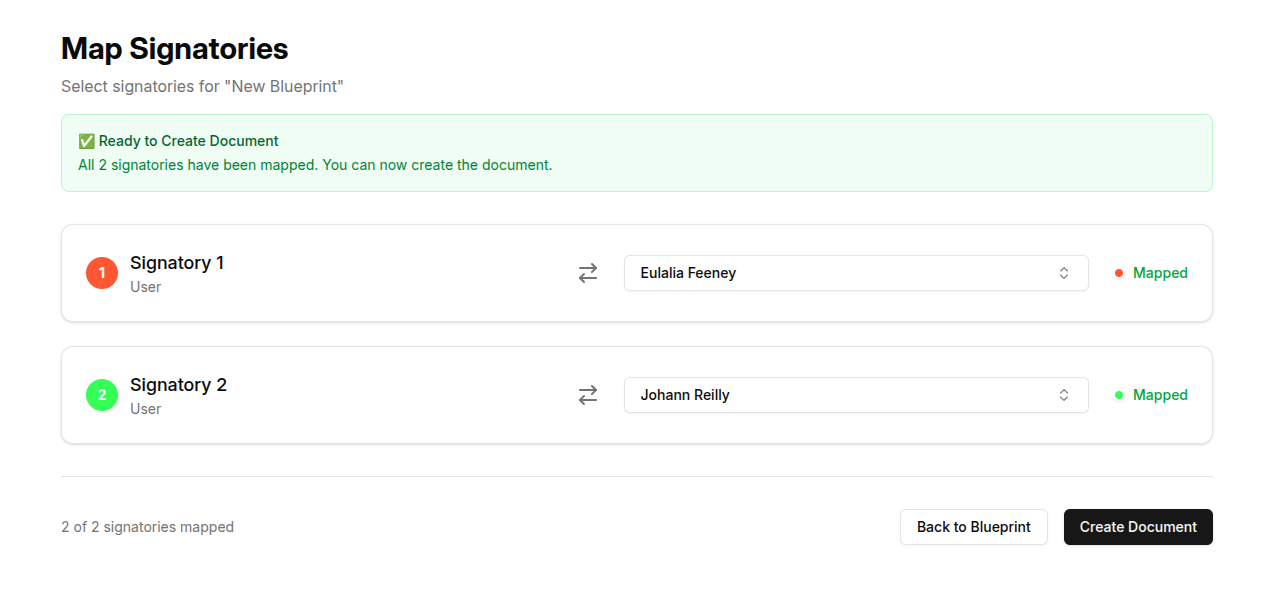
When you are ready to send the template, you would simply select the required signatories, and the template will be populated!
FAQ:
Can I customize the location of signatures on my quotes, invoice etc...
Yes! you can create different templates based on your designs for invoices, quotes etc allowing you to customize the exact location of signatures on each document.
Can i add additional signature fields to my invoices, quotes...
Yes! when customizing the template, you are also able to capture additional fields such as Dates and other inputs.
Release Schedule
- When are you releasing? We are in the final stages of testing DocuNinja internally. We plan to release the beta version of DocuNinja to Hosted users (for free!) in Q4 of 2025.
- Will there be a self hosted option? At this stage, no. The complexity around signing Documents has precluded a selfhosted version.
SOC2 compliance
- Is DocuNinja SOC2 Compliant? We are undergoing SOC2 audit currently and aim to have this signed off in Q1 2026