E-Signatures (DocuNinja)

Introduction
DocuNinja is the sister product to Invoice Ninja that handles eSignatures on your business documents. If you've ever chased a client for a signed quote, emailed a PDF contract and hoped it came back countersigned, or needed proof that someone actually agreed to your terms before you started work, this is the piece that fills that gap. Signatures captured through DocuNinja are compliant with the three standards most businesses care about — ESIGN and UETA in the United States, and eIDAS across the European Union — so the signed document holds up the same way a paper signature would.
It works with documents created inside Invoice Ninja (invoices, quotes, purchase orders) and with external files you upload, which means the same signing flow covers your proposals, NDAs, statements of work, and one-off contracts.
Why It's a Separate Product
DocuNinja is built and maintained by the same team, but it runs as its own application rather than a feature bolted onto Invoice Ninja. That distinction matters for a few reasons. eSignature compliance carries its own legal, infrastructure, and audit requirements that are easier to meet in a dedicated service. Keeping it separate also means DocuNinja can be used outside of Invoice Ninja entirely — for agencies handling documents that never become invoices, or teams who want signed paperwork from processes that live in other systems.
From your point of view, none of that separation is visible. DocuNinja connects directly to your Invoice Ninja account, shares your login and permissions, and its menu sits alongside the rest of the app. Documents are created, sent, tracked, and stored without leaving Invoice Ninja. It's a first-party integration, not a third-party add-on.
The Three Signing Workflows
There are three ways DocuNinja gets used in practice, depending on what you're signing.
Signing Invoice Ninja Documents
Invoices, quotes, and purchase orders generated inside Invoice Ninja can be signed directly through the Client Portal. Once eSignatures are enabled for the document, the DocuNinja signing interface appears automatically when your client or vendor opens it — there's no separate link to send or tool for them to learn.
Every signed document includes a verifiable audit trail and a dedicated Document Certificate, which is what you hand to an accountant, auditor, or lawyer as proof. This is also where the "why" of the design shows: for quotes and invoices gated behind a signature, the document process — payment capture, quote authorization — won't proceed until the signature is captured. That's deliberate, so a client can't accidentally pay a quote they haven't agreed to, or skip the signature and go straight to payment.
Custom Templates with Variable Injection
For documents that aren't invoices or quotes — NDAs, service agreements, HR paperwork, onboarding forms — DocuNinja provides a library of prebuilt templates you can adapt in the built-in editor. The point of a template is that you define the document once and reuse it for every client, rather than editing a Word file and re-uploading each time.
Templates support variable injection, meaning placeholders like {{ signatory.name }} or {{ company.address }} get filled in from the data already stored in Invoice Ninja. Send a new-client agreement and the client's name, address, and contact details slot in automatically. This keeps recurring documents consistent and on-brand while still being personalised for each recipient.
Uploading an External Document
If the document already exists as a PDF — a lease, a vendor agreement, a legal form someone else drafted — upload it, drop signature fields where you need them, and send it for signing. Signed copies are stored alongside your other Invoice Ninja documents, so you have one place to look when you need to find them later.
Preview
Documents tab
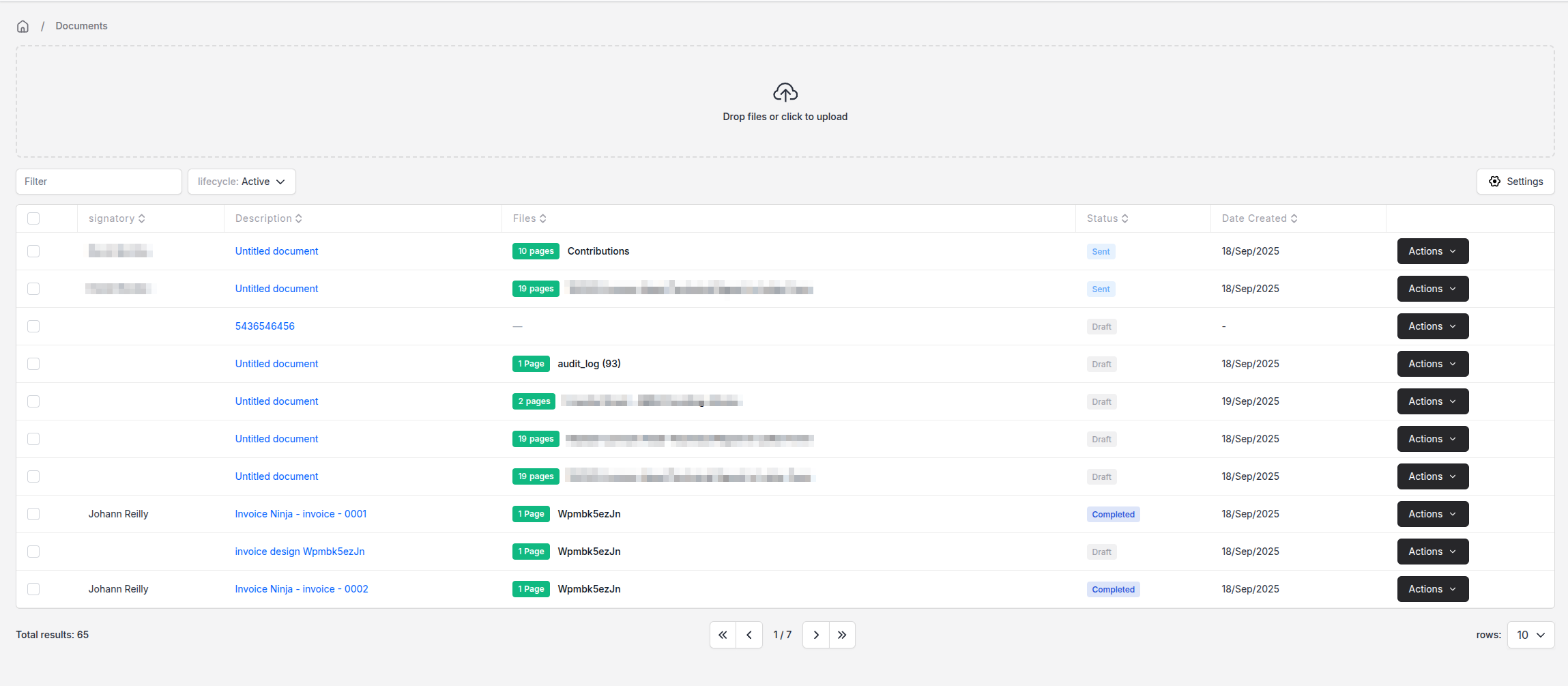
DocuNinja appears as its own sidebar menu inside Invoice Ninja. Every part of the workflow — drafting, sending, tracking, storing — runs from here.
Timeline
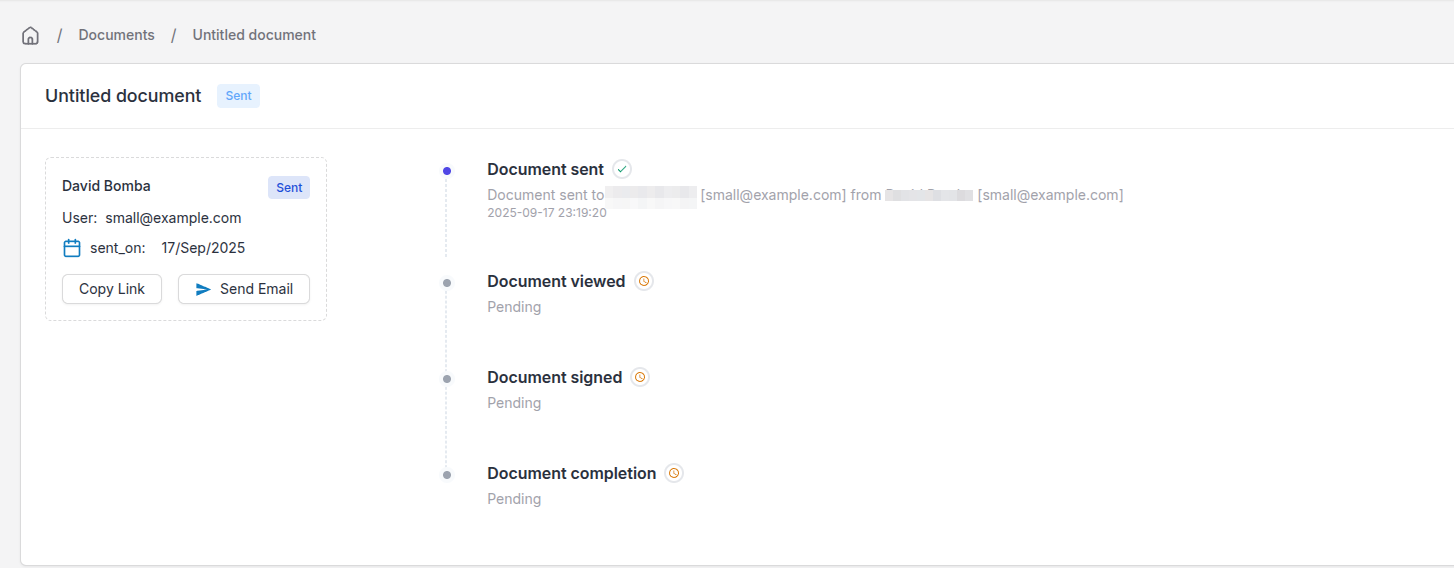
Each document keeps a timeline of events (sent, opened, signed, completed), so when a client says they never received something you can check rather than guess.
Builder
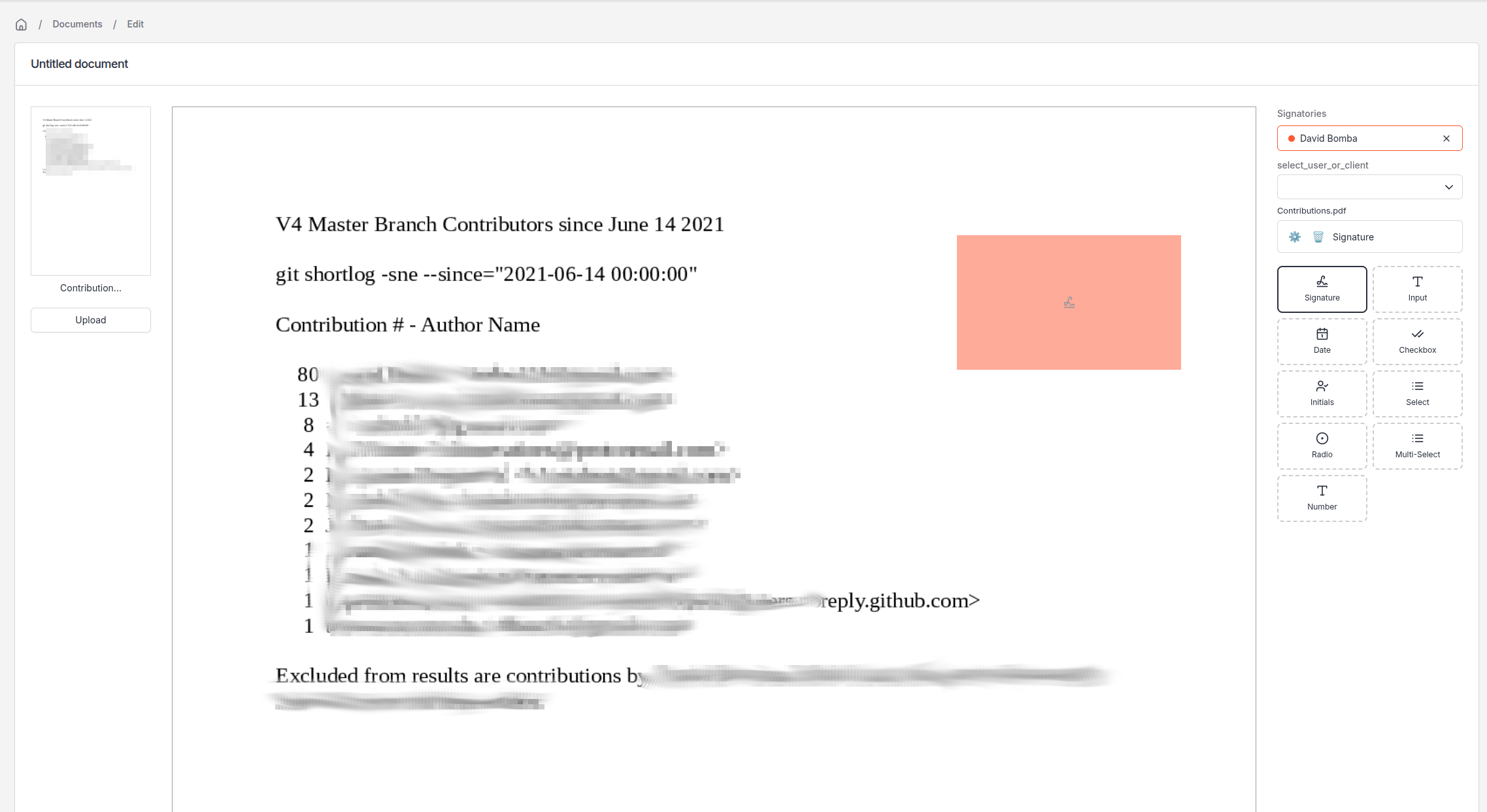
The builder is where you set up signatories and drop signing widgets onto the document at the exact spot you want them. Each widget carries its own logic, so you can mark a field as required or restrict a text field to an email-address format — useful when you need to capture a clean piece of data rather than freeform text.
Authorized Signatories
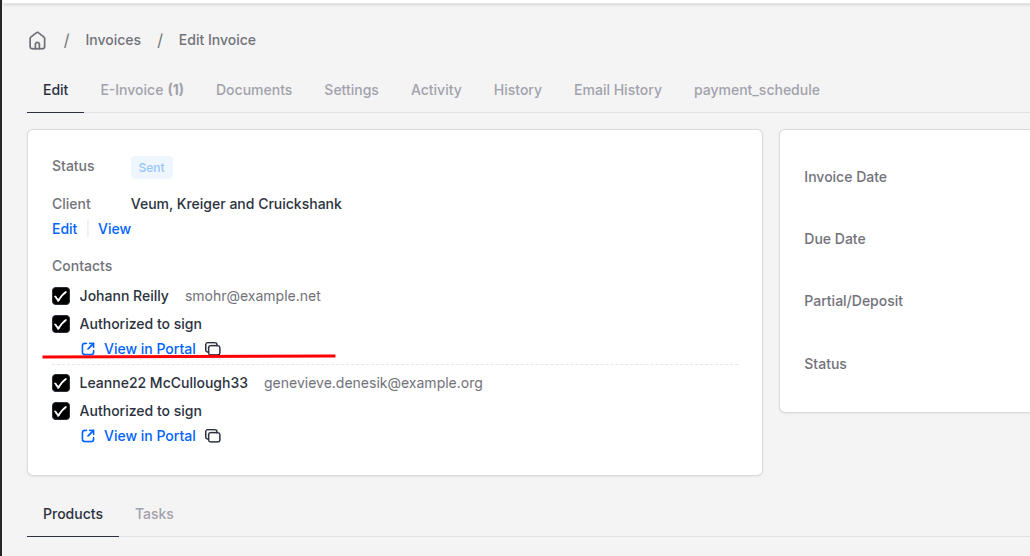
When a client has multiple contacts but only specific people are allowed to sign (say, a director but not an accounts-payable contact), you can assign authorized signatories on the invoice or quote itself. Until the authorised person signs, downstream steps like payment capture or quote authorization stay locked.
Signing Flow
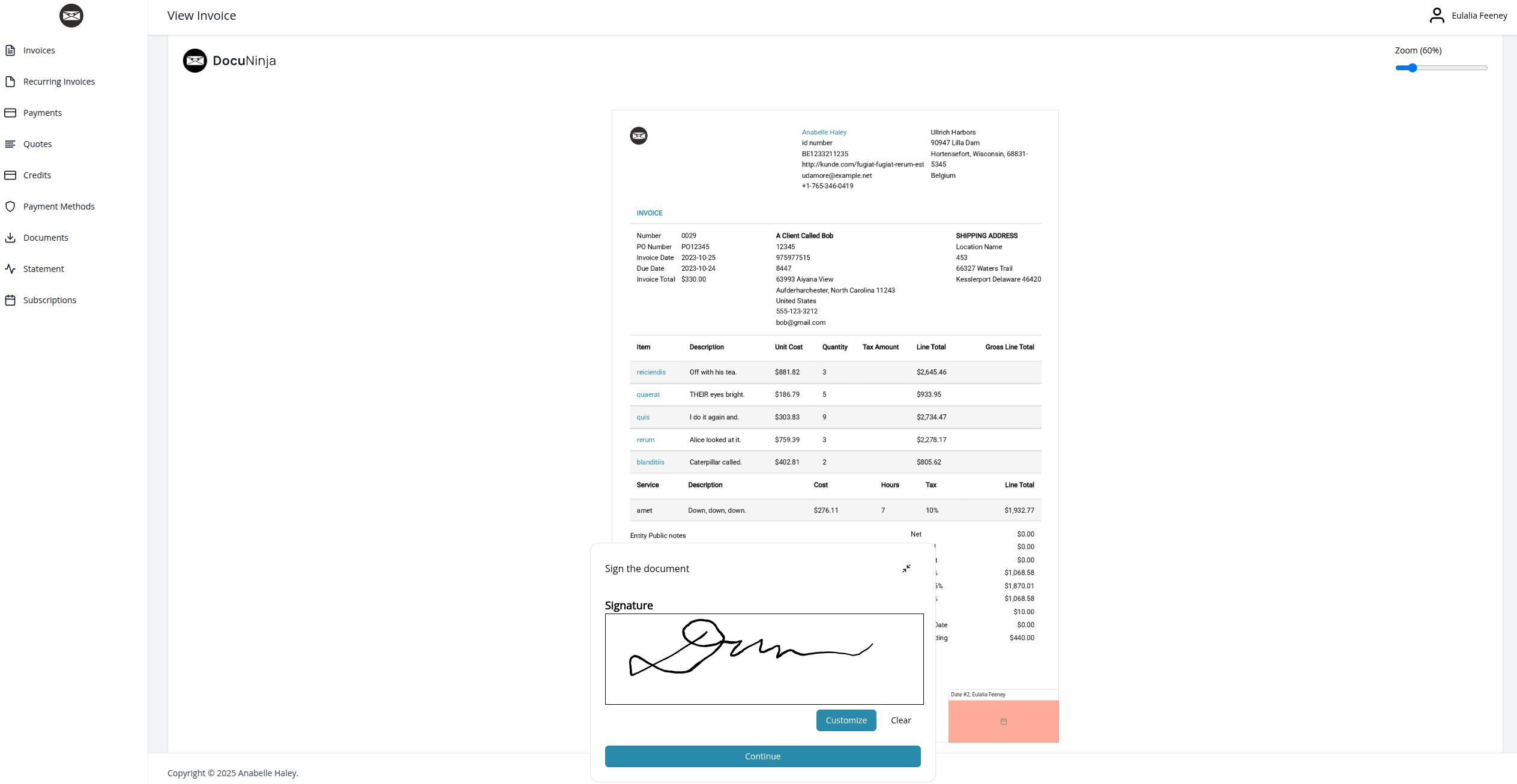
This is what the client or vendor sees when they sign, shown inside the client portal.
Blueprint Wizard
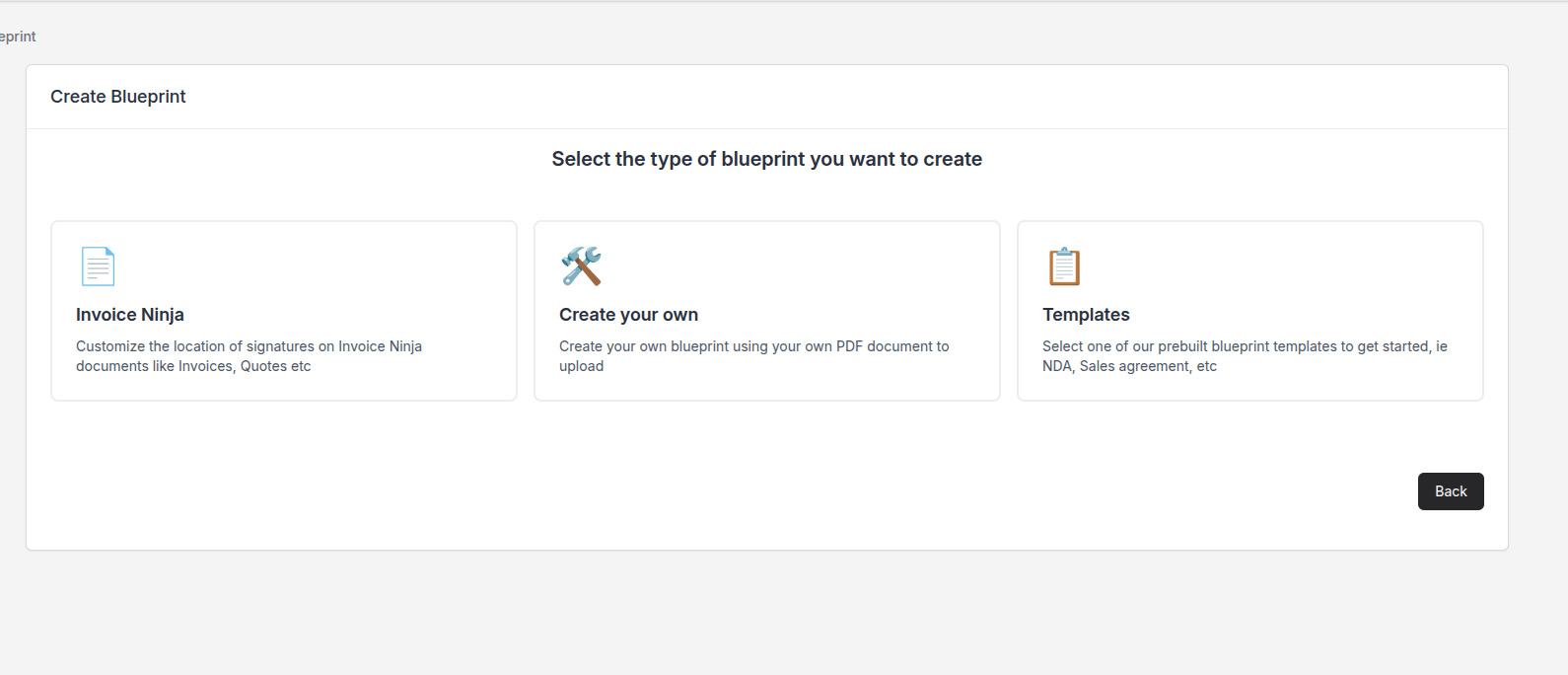
Blueprints are where you configure the three document types Invoice Ninja itself emits — invoice, quote, purchase order — so the signing setup for each is defined once and applied every time.
Prebuilt Templates
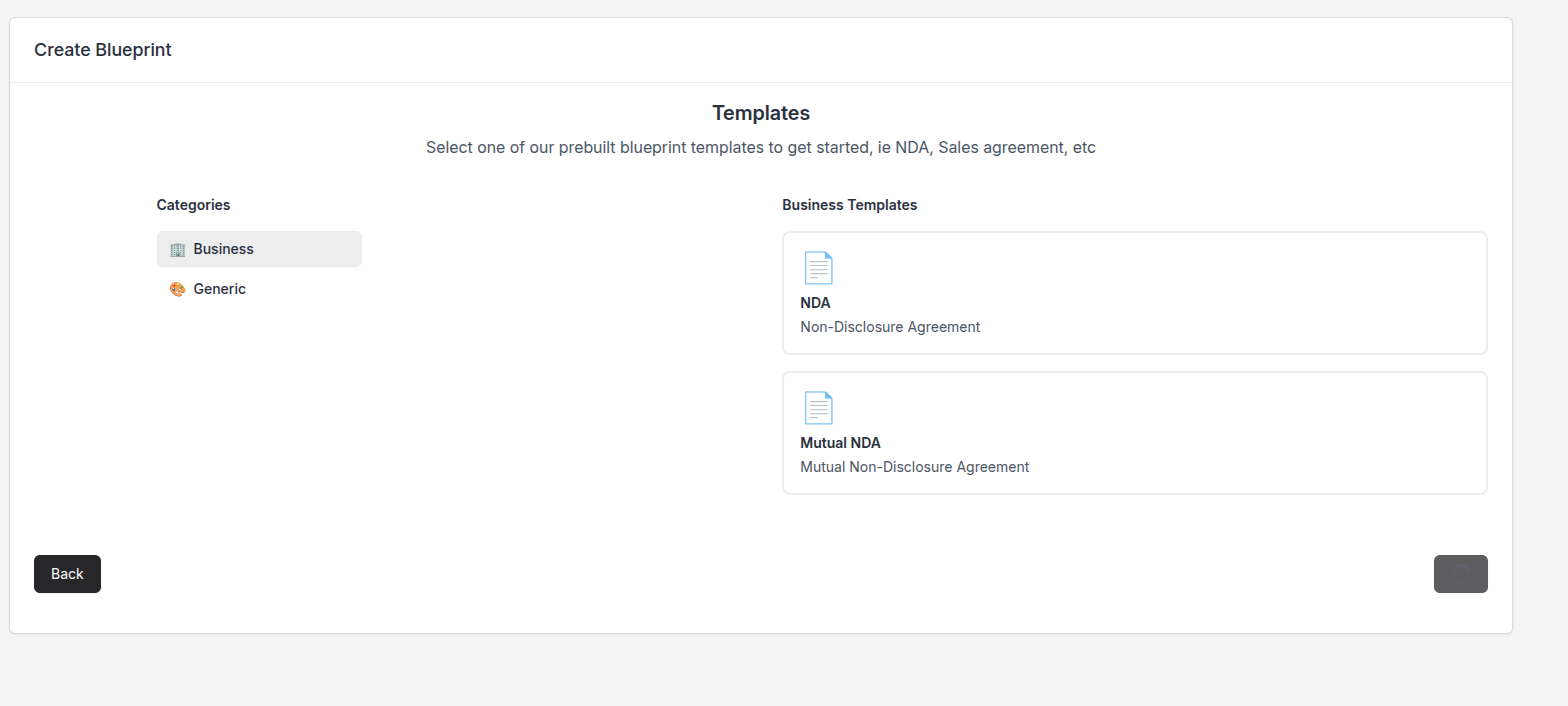
Rather than starting from a blank page, a library of prebuilt templates gives you a working starting point for the most common agreements.
Template Editor
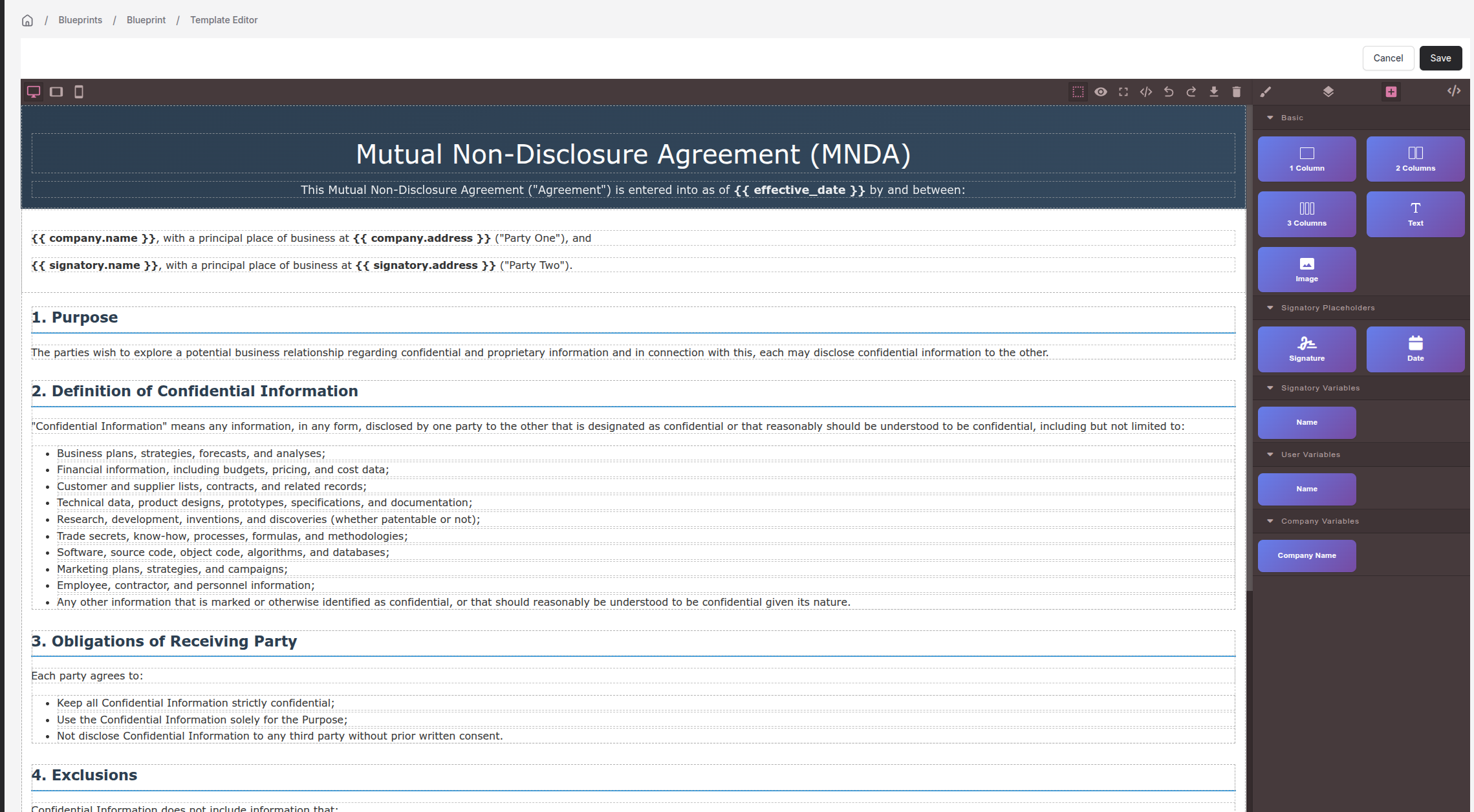
The WYSIWYG editor uses drag-and-drop elements to build or modify a template. Placeholders let you pull in data already held in Invoice Ninja — for example, a new-client contract template that automatically fills the client's company name, address, and contact details when you send it.
Mapping Signatories
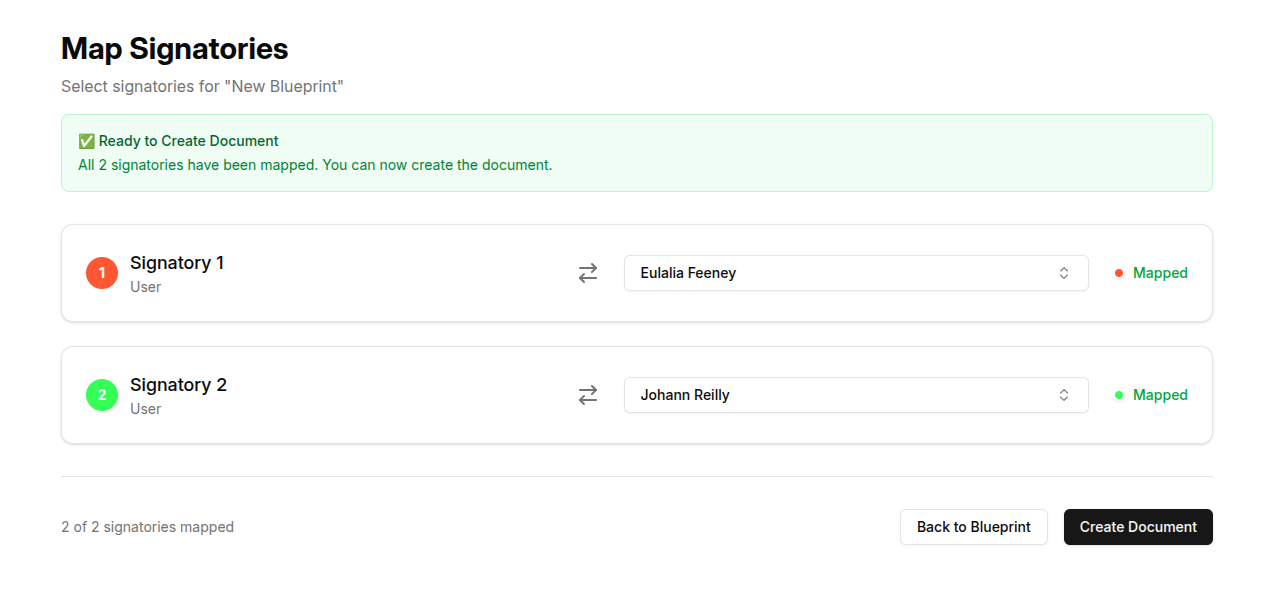
When you're ready to send a template, pick the signatories and the placeholders resolve against their records — no manual find-and-replace.
FAQ
Can I customise where signatures appear on my quotes and invoices?
Yes. You can create different templates per document design, and place signature fields exactly where you want them on each.
Can I capture fields other than signatures?
Yes. When you customise a template you can add dates and other input fields alongside the signature, so a signed document can also collect the information you need at the same time.
Is DocuNinja SOC 2 compliant?
Yes! DocuNinja is certified SOC 2 compliant, contact us for more information.